I have a first generation Vivid that I took out of storage to put on a new tank. In 2021 when I first bought this light, my phone could not find the light at all to connect. Troubleshooting team told me since I had Android 12 and newer, my phone was not compatible, so I used an old phone with Android 9 and was able to use the light via the app, so I know the controller works.
Now that there have been multiple app updates, I was finally able to get my phone connected to the light, however upon opening the color settings the app prompted me to install firmware, so I did. The firmware updated correctly, but I can no longer access any light settings as I keep getting "connection failed" message.
I've made sure all permissions are enabled, I've unpaired most Bluetooth devices, I've restarted my phone, uninstalled and reinstalled the app, removed the light from my app and added it back on, removed the metal shades to ensure no metal getting in the way, unplugged the light for 5/20/60 minutes, and still cannot access any settings. The light is stuck on red 100%. I downloaded the nRF app, attached are the devices where you can see the light is there and not bricked. Every time I unplug the light, the green Bluetooth icon turns green like it's connected, and the second I plug it back in the connection is lost.
Please give technical support on what the issue is and how to fix it.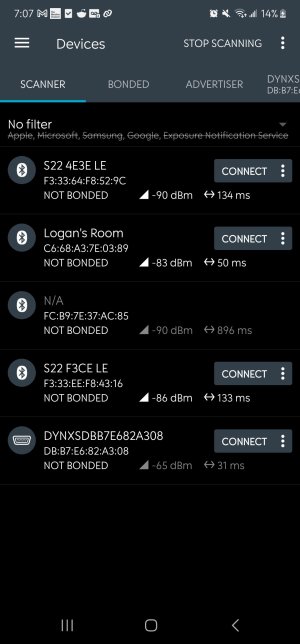
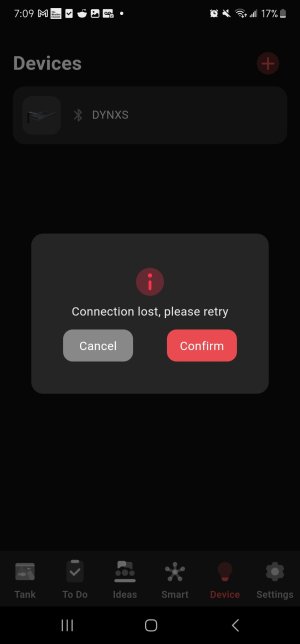
Now that there have been multiple app updates, I was finally able to get my phone connected to the light, however upon opening the color settings the app prompted me to install firmware, so I did. The firmware updated correctly, but I can no longer access any light settings as I keep getting "connection failed" message.
I've made sure all permissions are enabled, I've unpaired most Bluetooth devices, I've restarted my phone, uninstalled and reinstalled the app, removed the light from my app and added it back on, removed the metal shades to ensure no metal getting in the way, unplugged the light for 5/20/60 minutes, and still cannot access any settings. The light is stuck on red 100%. I downloaded the nRF app, attached are the devices where you can see the light is there and not bricked. Every time I unplug the light, the green Bluetooth icon turns green like it's connected, and the second I plug it back in the connection is lost.
Please give technical support on what the issue is and how to fix it.
